
Filmmaking Tools: The Gear You Actually Need to Shoot a Movie
A practical guide to filmmaking tools: cameras, lenses, sound, lighting, support and editing software, ordered by what matters most for beginners. Continue reading Filmmaking Tools: The Gear You Actually Need to Shoot a Movie


Quick answer: to film a movie you need a camera (a smartphone is enough to start), a way to steady it, clean audio, some control over light, and editing software. Spend on sound and light before you spend on a bigger camera, because audiences forgive soft images long before they forgive bad audio.
"Choosing the right filmmaking gear will ensure that your next production is well-equipped for all kinds of scenarios and scenes. You will need a high-quality professional camera, adaptable lenses, sound equipment, lights, diffusers, and camera support equipment."
Regardless of whether you are a Hollywood professional or a novice filmmaker, there is some basic equipment you simply cannot do without. In this article, we examine the essential checklist for a successful filming experience. Of course, you can go hog wild and stock up on a litany of gadgets if that’s your thing, but in truth, all you need to get going on shooting your next film is listed below. So, what are you waiting for?
Filmmaking gear catalogs make every item sound essential. Camera cages, matte boxes, follow focus rigs and cinema lenses are real tools, but none of them is the reason a first short film works or fails. Story, performance and sound do that work.
This guide covers the filmmaking tools worth knowing about, in the order that most beginners should buy or borrow them. It is part of the Movie Squirrel screenwriting and filmmaking series, so if you are still at the page stage, start with the main guide on how to become a screenwriter, then come back when a script is ready to shoot. The recommendations avoid brand loyalty, and prices are left out because they change often.

What Equipment Do You Need to Film a Movie?
In order to get started and to feel prepped and ready, make sure you have these items or can get access to them. Remember, the entertainment business is in some ways a common city and it is totally normal to pool resources and help each other out, so don’t be afraid to ask for help or find filmmakers in your area and chat them up about what you are doing and what equipment you will need. The old proverb, if you don’t ask, you don’t get, is truer than you think.
Basic equipment needed to film a movie includes:
- Video camera
- Lenses
- Tripod
- Lighting
- Light reflector
- Microphone
- A computer that has video editing software
Each of these is covered below, starting with the camera you may already have in your pocket.

Start With What You Already Own
A modern smartphone shoots high-resolution video, and many short films and festival entries have been made on phones. If you own one, you already own a camera, a monitor and a basic editing tool. Use it for your first project before deciding what is missing.
Phones have limits. The small sensor struggles in dim light, the built-in microphone picks up room noise, and automatic exposure can shift mid-shot. Most of those limits can be managed with preparation: shoot in good light, lock exposure and focus where your phone allows, clean the lens, and record sound separately when you can.
A useful rule is to upgrade only when a specific problem blocks you. “The audio is thin” is a reason to buy a microphone. “My friend has a nicer camera” is not a reason to buy anything.

Cameras and Camcorders
Your camera is one of the most important components of your kit. The choice of a camera for your project will depend primarily on your budget, but also on the subject of the project.
What is the target audience for your product? In what format do you plan to show the film? Will you show it on social media, large screens, or is it just for a function that will be viewed on a smart device or television? What type of stealth or static camera shots are you planning?
When a phone is no longer enough, the camera choice depends on the work you plan to do. The main categories are:
- Smartphones, which are the lowest-cost route and the easiest to carry.
- Mirrorless and DSLR cameras, which offer larger sensors, interchangeable lenses and better low-light performance.
- Camcorders, which are built for video, with long recording times and built-in zoom and audio inputs.
- Dedicated cinema cameras, which give the most control over image quality but cost the most and need more crew and accessories.
Video cameras are available in a wide variety of types, brands, and models. In most cases, documentaries do not require complicated action sequences or stealth shots, which can be shot on anything from a smartphone to a top of the line Red Epic camera. Another way to sort the options is by the kind of production they suit:
- Cinematic – Used for high-end film productions, Broadway productions, awards shows, etc.
- Camcorders – These are basic cameras that can be used to record Web videos, special occasion videos, basic home videos, etc.
- Smart Devices – For the production of basic web videos, fun holiday videos with the family, etc.
- Ultra-High Definition 4K – This format is used for film production and high-end documentaries.
Specifications to check before buying include video resolution and frame rates, whether the camera records for long enough without overheating, whether it has a microphone input and headphone jack, how it handles low light, and which lenses fit. For a deeper comparison focused on small budgets, see the guide to the best camera for filmmaking on a budget.
Renting is a smart alternative to buying. Local rental houses and online rental services let you use a better camera for one project without the commitment, and film co-ops and school programs sometimes lend equipment to members.
Batteries and Recording Media
When filming, always remember to have spare batteries and a battery charger available. Nowadays, many chargers come with both a USB option and a car charger. This ensures that you will have enough filming time on your camera and that you will be able to charge a battery that is running low in order to continue making the movie.
Additionally, you will need spare media for filming. It is always a good idea to carry extra flash memory cards, video tapes, DVDs, or even external hard drives. If you have an external hard drive, you can at least clear some media from the memory card.
Read more: Cheapest 4K Camera for Filmmaking Your Next Cinematic Movie

Lenses: Zoom, Prime, Adaptable and Macro
Lenses shape the look as much as the camera body. Prime lenses, which have a fixed focal length, tend to be sharper and let in more light, while zoom lenses are more flexible. Many beginners start with one or two lenses that cover the range from wide to portrait distance.
When shooting a movie, there are many different types of shots, angles, and filters that need to be considered. It is a good idea to start collecting lenses and filters for your camera. Get started with the basics, and as you grow, you can add those that will enhance the quality of your shots.
If you are taking those lazy fisheye shots with a wide-angle lens in extremely sunny conditions, you do not want to have a bad reflection ruin your shots. Various polarizers and ND filters can be used to reduce these effects.
You will need a super zoom lens if you want to magnify a snowflake or a tiny hermit crab walking on the sand. The term macro lens is usually used to describe these lenses.
Read more: What Kind of Camera Lenses Should Be Used for Filmmaking?
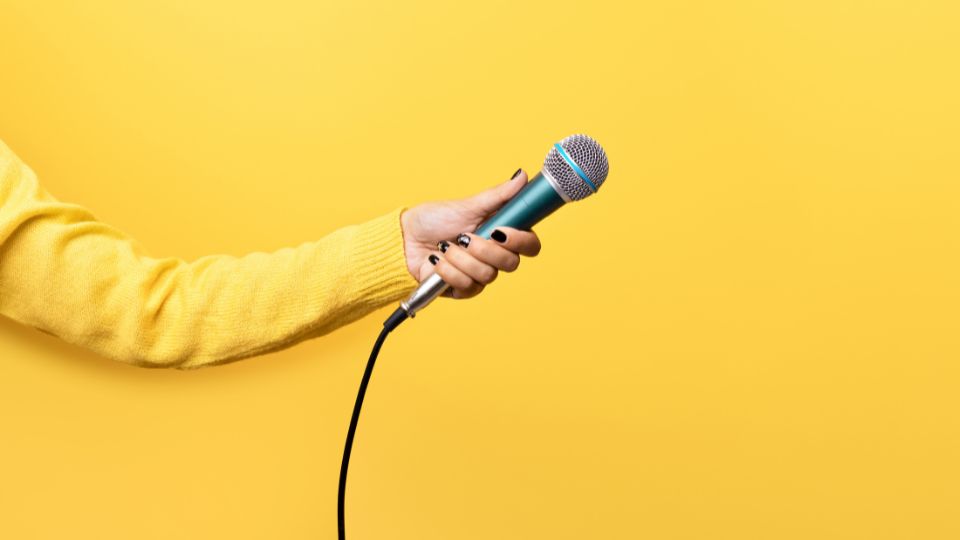
Sound: Microphones, Headphones and Other Audio Gear
Sound is the upgrade that matters most. Audiences tolerate a rough image if the story is strong, but muffled or noisy dialogue makes a film hard to watch. Sound is the best place to put your first budget.
The core audio tools are:
- A shotgun microphone on a boom pole, held just out of frame above the actors, for dialogue.
- Lavalier (lapel) microphones, which clip to clothing and work well for interviews and tight setups.
- A portable audio recorder, which captures sound separately from the camera and often gives cleaner results.
- Closed-back headphones, so someone is actually listening while you record.
- Wind protection, from foam covers to fluffy windscreens, for outdoor shoots.
Headset microphones are headphones with built-in microphones that allow for hands-free recording of audio. Keep in mind that many headset microphones are designed for gaming and do not have an adequate microphone for recording professional audio.
If you are buying a headset, check its microphone quality and recording specs, not just its comfort or gaming features, and compare the best-performing models before you choose.
Technique counts as much as equipment. Place the microphone as close to the speaker as the frame allows, turn off refrigerators and fans, and record a minute of room tone, which is the quiet sound of the location, to help smooth edits later. Recording sound separately means you will need to sync it with the picture in editing, which is easy if you clap or use a slate at the start of each take.

Lights, Diffusers and Reflectors
Light creates mood, shows faces and helps a small sensor produce a clean image. You do not need a lighting truck. Many beginners work with window light, reflectors and a small number of lamps.
Basic lighting tools include:
- A reflector or foam board to bounce sunlight onto a face.
- Diffusion, such as a white sheet or a purpose-made diffuser, to soften harsh light.
- LED panels, which are compact and run cool, and have adjustable brightness and color temperature.
- Black cloth or flags to block unwanted light and add contrast.
- Stands and clamps to hold everything safely.
The use of reflectors and diffusers can change the overall appearance of your image significantly by manipulating the light in it. For the close-up look, these are essential tools.
Reflectors are often used by filmmakers and photographers at some point in the production process. You can use them to fill and control light on a subject, providing you with greater flexibility when shooting in challenging conditions. Reflectors can be used to create a second, or softer light source by redirecting the light. They are also useful for brightening shots or even acting as a second light source when using a single flash.
Basic lighting theory helps more than gear. Place the main light to one side of the subject for shape, use a softer fill or a reflector to control shadows, and watch for mixed color temperatures, such as warm lamps against blue window light.
Read more: Top 6 Reflectors for Filmmaking Professionals
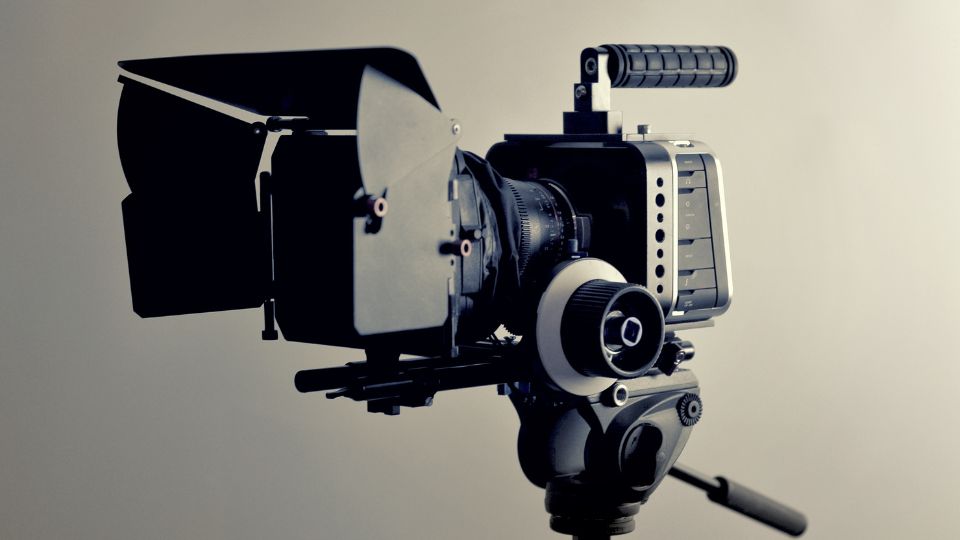
Tripods, Dollies and Camera Support
For support, a sturdy tripod with a fluid head gives steady shots and smooth pans. Handheld footage can suit some stories, but shaky footage chosen by accident looks accidental. Other helpful tools include a gimbal for moving shots, a small slider, and a shoulder rig for handheld work. Add these only when the script calls for such shots.
Tripods
Are you getting shaky shots that look as though you have had too many cocktails before shooting? Does the video remind you of those holiday films you used to make as a child? It is obvious that you need stabilization, but you may not know what options are available to you. Maybe you are wondering what is the best tripod for DSLR cameras?
It is a good thing that tripods are available to address precisely those problems! Perhaps you experience frequent tremors in your hands. You may just not be able to keep your hands stable for an extended period of time (not a surprise!)
The purpose of tripods is to relieve a great deal of pressure from your hands, so that you can concentrate on what really matters: getting the perfect shot.
Stabilization greatly enhances the quality of your videos, and the use of tripods is not limited to those who are experienced. Many filmmakers consider a tripod one of the most important purchases in any camera kit.
Camera Dollies
In general, a dolly is a wheeled cart that runs on rail tracks. The term “dolly shot” refers to the movement of a camera mounted on a dolly. A dolly shot involves moving the camera towards, away from, or alongside your subject, which can be an actor, a location set, a product, etc.
A tripod dolly is an excellent option for use with professional camera tripods, light stands, and background stands. Good wheels are the most important feature of a good dolly.
Zooming does not require the camera to move forward or backward; it is, in essence, a magnification. A dolly move, on the other hand, is more human-like, involving the act of moving closer to (or further away from) an object, with everything on the left and right side taking on greater weight as a result.
Set Safety
Safety counts too. Weigh down stands with sandbags, keep cables taped and out of walkways, and get permission before filming in public or private locations.

Movie Editing Software and Computers
The most important part of the day is determining whether you have any shots worth keeping and knowing that you may have to edit them. That is where a good computer comes into play. Postproduction is where the film takes its final shape.
Generally, laptops are adequate for fieldwork, quick checks, and for making home movies with the family. For sharing holiday movies with your family and friends on social media, you can use a regular desktop PC.
If you wish to have high-end graphics and editing capabilities, you will need either a Mac or a high-end desktop computer. The computer should be equipped with a powerful graphics card that will allow you to handle whatever scale of video editing you will be undertaking. It will also require sufficient processing power, enough storage space, both internally and externally, and enough memory to run the graphically demanding software. Your computer matters as much as the software. Video editing wants plenty of storage, a fast drive and enough memory, and 4K files will strain older laptops. Many editors work with lower-resolution proxy files to keep the timeline smooth, then switch back to the full-quality files for export.
In addition to a computer, you will need an appropriate editing program as well. A variety of editing software packages are available on the market, including freeware, open-source, and professional versions. When making quick changes, you may use online tools such as Clideo, but if you wish to learn the professional way of editing, you will need desktop software such as Adobe Premiere Pro.
Capable software is also available at no cost. DaVinci Resolve from Blackmagic Design offers editing, color and audio tools, and the company provides a free version; confirm the current feature differences on its site. Audacity is a free audio editor useful for cleaning up recordings, and OBS Studio is a free open-source tool for recording and streaming screens and video sources.
Paid editors, including those bundled with popular operating systems or sold by large software companies, are also common, and the right one is mostly the one you will actually learn. Pick a program and stay with it for a few projects. Switching tools constantly costs more time than any feature gap.
Save the project often, and back up footage in at least two places before you format any memory card.
Read more: Movie Editing Software

Set Up a Production Station
Building a production station is vital to the success of filmmakers. Having access to a workstation that allows you to create, edit, and manage all aspects of your production from one central location can make all the difference in your workflow and how you produce your content. This includes editing footage, creating storyboards, managing assets, budgeting, and more.
The production station has a variety of features that make it ideal for planning. Generally you should have a large monitor where you can view and edit all your final cuts, ample space to bring in equipment and even store it, an extra chair or seats for other team members, a table to draw out your storyboards, and so on.
You can customize this to your needs, and it is likely over time this area will develop into its own professional studio. It should be regularly optimized to help provide support to the filmmaker throughout the various projects undertaken.

A Starter Kit by Budget Level
These are categories, not shopping lists. Use them to decide what to borrow and what to buy.
- Near-zero budget: a phone, a borrowed tripod, window light, a white sheet as a diffuser, a free editor and headphones you already own. Record sound as close to the actors as you can.
- Small budget: add a basic external microphone, a portable recorder or lavalier set, a reflector and an inexpensive tripod with a fluid head.
- Growing budget: add a camera with interchangeable lenses, a boom pole and shotgun microphone, a few LED lights with stands, and extra storage.
- Collaborative budget: pool equipment with other filmmakers, rent specialty items per project, and trade labor for time on a better camera.
A good habit is to write a gear list for each scene from the script, then mark items as own, borrow or rent. The list shows what you truly need, and it often turns out shorter than expected.
Mistakes That Waste Gear Money
A few errors show up again and again. Buying a high-end camera before learning exposure produces expensive bad footage. Ignoring audio means the film sounds amateur whatever the picture looks like. Skipping a tripod makes every shot a gamble. Collecting accessories without a script gives you a bag of tools and no film.
Test everything before the shoot day. Record a minute with each camera, microphone and card, then play it back on the computer you will edit with. Finding a dead battery or a corrupted card at home costs nothing, while finding one on set costs the whole day.
Finally, plan time, not just equipment. A simple scene shot with care beats an ambitious one shot in a hurry, so match the scope of your script to the gear and crew you can actually manage.
Plan Your Gear From the Script, Not From a Catalog
The most reliable way to decide what to bring is to break down the script scene by scene. For each scene, list the location, the time of day, the number of actors, the sound problems and the shots you need. Gear follows from those answers.
A dialogue scene in a quiet kitchen needs a boom or lavalier microphone, soft light from a window and a tripod. A car scene needs a way to mount the camera safely, a plan for sound over engine noise and permission for any public road. A night exterior needs more light than any other setup, and it usually needs more crew to carry and power it.
Once the breakdown is done, a pattern shows up. Most scenes in a short film need the same few tools, and only two or three scenes need anything special. Spend your time and money on those hard scenes, or rewrite them into something simpler. Screenwriters who understand production make their own work easier to shoot, which is one reason many writers shoot a short before they chase representation.
Shot variety matters too. A wide shot to show the space, a medium shot to show action and a close-up for emotion cover most scenes. Shooting each setup a few times with small changes gives you options in the edit.

Caring for Gear and Footage
Equipment lasts longer with simple habits. Keep lenses capped and use a blower brush before wiping. Store batteries charged but not in hot cars, and label memory cards so used ones do not get mixed with blank ones.
Footage deserves even more care than hardware. After each shoot day, copy the cards to two separate drives before erasing anything. Name folders by date and scene so you can find clips months later, and keep a short log that notes the best takes. Hard drives fail without warning, so a single copy is a risk, not a backup.
On set, assign roles even on tiny crews. One person watches the picture, one listens to the audio, and one checks continuity details such as props and costumes. Splitting attention this way catches errors while there is still time to reshoot.

Frequently Asked Questions
What equipment do I need to make a short film?
At minimum: a camera (a phone works), a tripod, clean audio, some light control and editing software. Prioritize audio and light before upgrading the camera.
Is a smartphone good enough for filmmaking?
Yes, for many projects. Shoot in good light, stabilize the phone, and capture sound with an external microphone for the best results.
Is there free editing software for filmmaking?
Yes. DaVinci Resolve has a free version, and Audacity is a free audio editor. Check each product’s current terms.
Should I buy or rent filmmaking gear?
Rent for specialty items you will use once, and buy items you will use on every project, such as a tripod, microphone and storage.
What should I buy first?
Most beginners get the biggest improvement from a microphone and a way to monitor audio, followed by a sturdy tripod and simple lighting tools.

Sources and Further Reading
- Blackmagic Design: DaVinci Resolve, for current edition details.
- Audacity, a free audio editor.
- OBS Studio, a free recording and streaming tool.
- Your local film co-op, community college or library, which often lend or rent equipment.